

Features / Attendance
Online attendance software with GPS, QR code and face detection
PeopleBond HCMS records attendance from the PeopleBond Connect app, office QR screens and fingerprint machines, checks it against each employee's roster and passes clean data to payroll. It rejects fake GPS locations and shared QR photos.
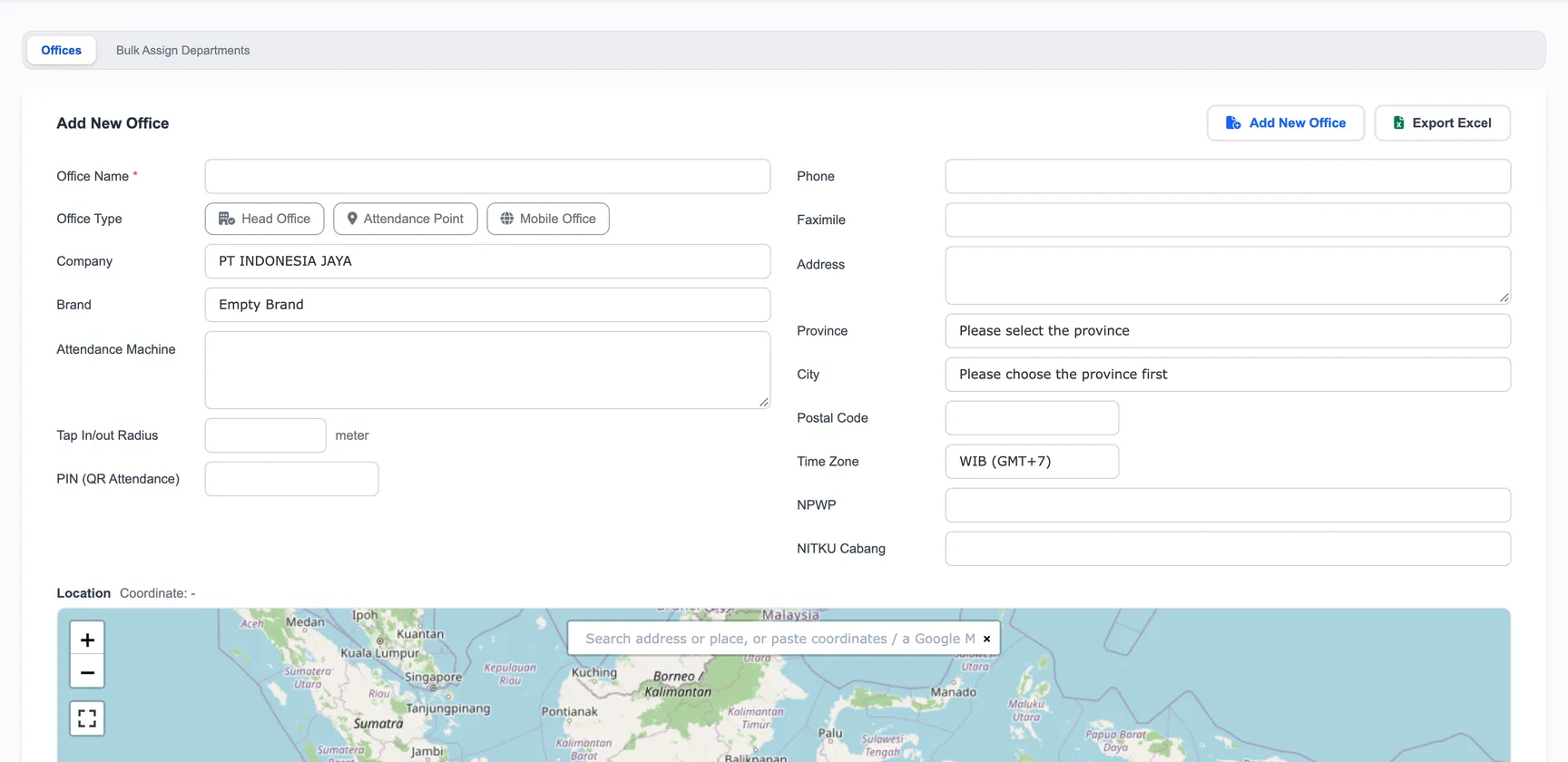
How attendance works
- Set up offices and rosters.Each office gets a map location, a tap in/out radius in metres, its attendance machines and a PIN for QR screens. Shifts are planned per employee, group or department, with a schedule generator.
- Choose the tap method per position.Positions can use GPS at the working office, the office QR code, or both. Back-office staff can be held to the head office while field sales tap in anywhere.
- Employees tap in and out.In PeopleBond Connect they tap in with GPS, a selfie and face detection, or scan the QR code on the office screen. PeopleBond decides whether a scan is a tap-in or a tap-out.
- Fix gaps before payroll.Employees file attendance claims for a forgotten tap, managers approve them, and HR runs the final check for blank, incomplete or abnormal records.
What you can set up
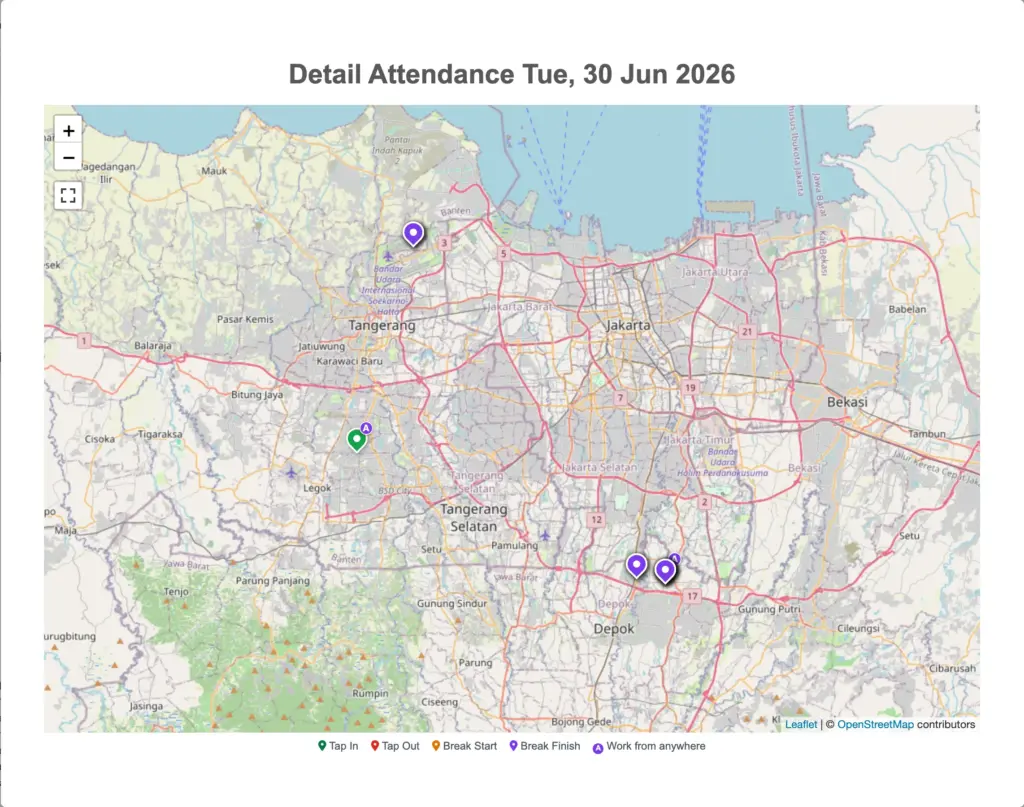
Mobile attendance
- GPS tap in and out with a radius per office
- Selfie with on-device face detection, on or off per company
- Fake GPS (mock location) is blocked
- Break time recording
- Geofenced check-in and field reports with photo, text and GPS
One employee day on the map (demo data): tap in, break start, break finish and work-from-anywhere pins, with the office radius when there is one.
QR code attendance
- A tablet, kiosk or PC at the entrance shows a QR code that changes every 3 seconds
- Codes expire on the server after 60 seconds
- Each screen is paired to one office with a 6-digit PIN
- Rules per position: assigned office, any office, or also the offices of their team
- Works in basements, malls and tall buildings where GPS is weak
- Encrypted QR codes
Machines and import
- Several fingerprint attendance machines per office
- Attendance import from files
- Multiple data entry for HR
- ID card numbers for machine matching
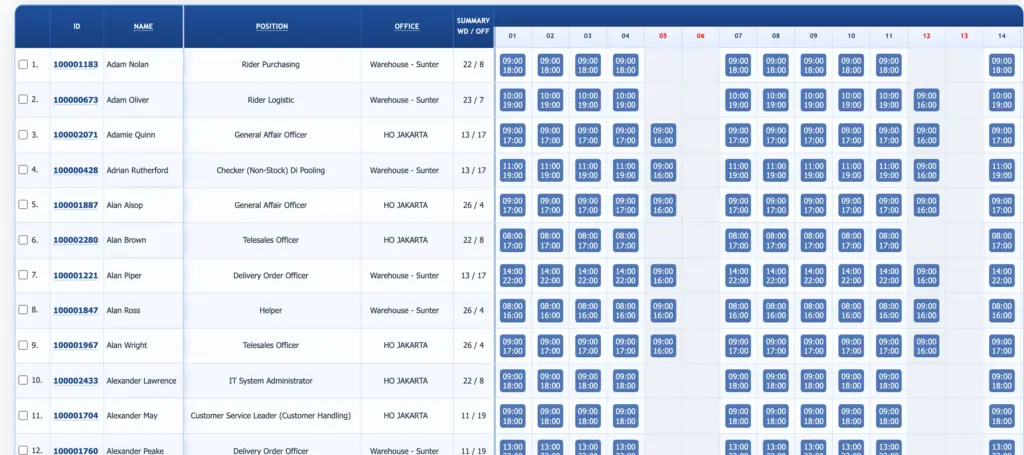
Shifts and rosters
- Shift types and shift groups
- Schedules per employee, group, department or office
- Schedule generator for a date range
- Overnight, cross-day and long shifts
- Shift change requests with approval
- Roster import and export with Excel
Department roster (demo data): shift hours for each employee and day, with working and off days per month.
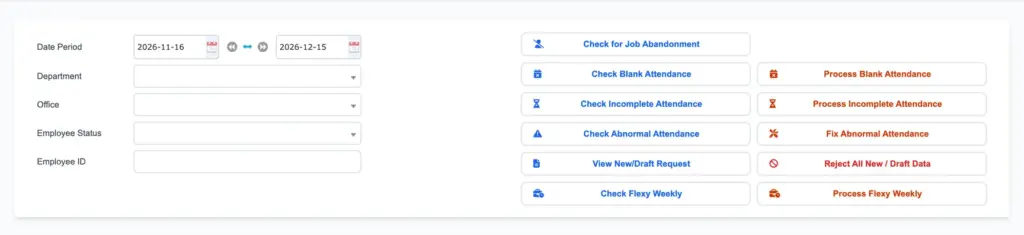
Corrections and checks
- Attendance claims for a forgotten tap or work outside the office
- Manager approval of every claim
- Final check for blank, incomplete and abnormal attendance
- Possible job abandonment check
- Flexible weekly hours check
Final attendance check before payroll: blank, incomplete and abnormal attendance, and possible job abandonment.
Attendance reports
- Attendance report by department, office and job level
- Monthly absence summary
- Absence by department
- Late arrival analysis and chart
- Geofence monitoring
- Attendance list per employee
Frequently asked questions
Can employees fake their GPS location?
No. The app detects mock locations and blocks the tap-in while one is active. You can also require a selfie with face detection.
How does QR code attendance work?
A screen at the office entrance shows a QR code that changes every 3 seconds. Employees scan it with PeopleBond Connect, and the server checks that the code is fresh and belongs to that office before it records the tap.
Do employees need internet to tap in?
Yes. The app has to reach your PeopleBond server to validate each tap. Offline QR scans are not accepted, which is part of the anti-cheat design.
Can we keep our fingerprint machines?
Yes. Each office can have several attendance machines, and their data lands in the same attendance records as app and QR taps.
What happens when an employee forgets to tap?
They submit an attendance claim with a note. Their manager approves it, and the corrected time goes into payroll.
Related modules
See attendance set up for your offices
Book a demo and we will show GPS, QR and machine attendance for your office layout.