

Features / Employee data
Employee database and organisation structure software
PeopleBond HCMS keeps one record per employee, from joining to exit, inside your organisation structure. HR manages positions, contracts, transfers and documents, and employees update their own personal data.
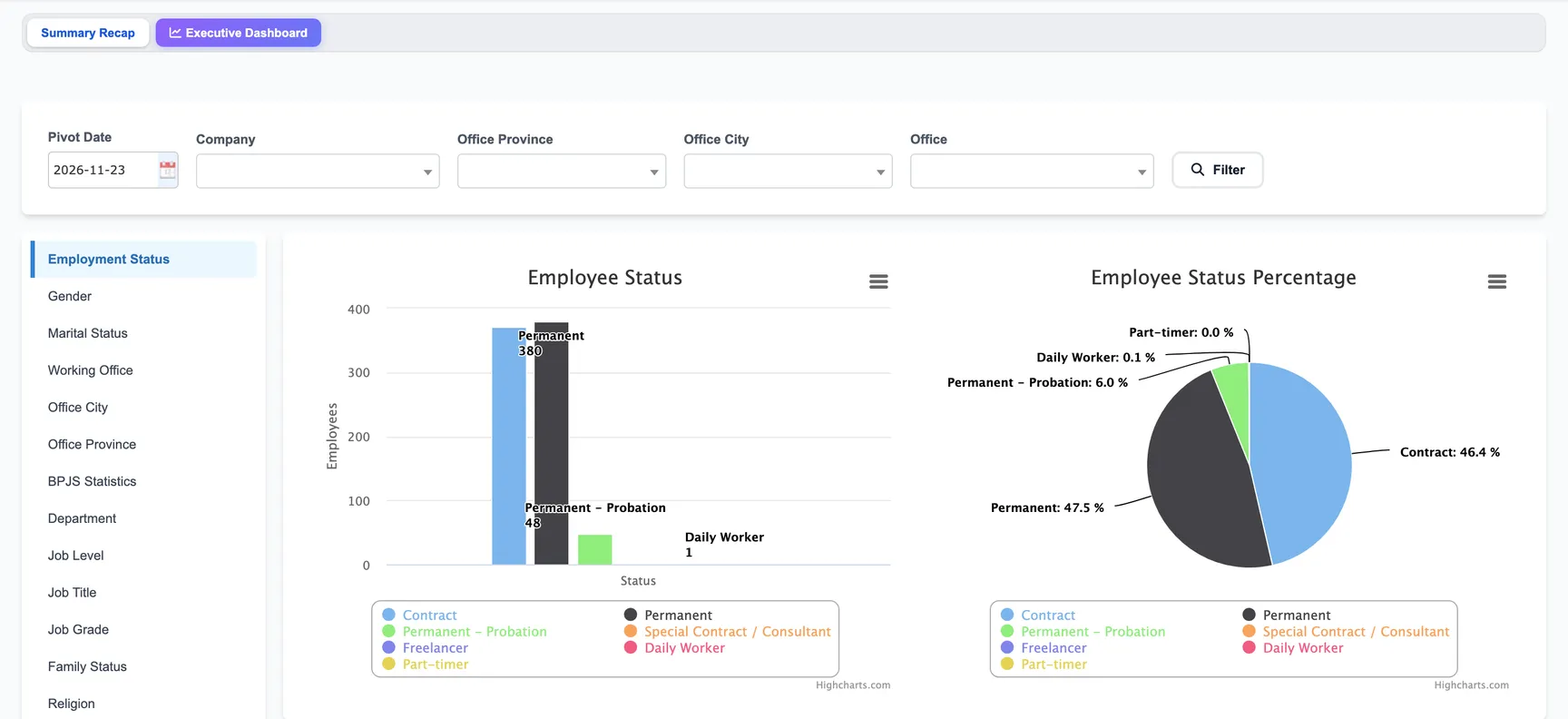
How employee data is organised
- Build the structure.Set up companies, offices, departments, positions, job levels and salary grades. One installation can hold several companies.
- Add employees.Enter them one by one or import from Excel. Candidates hired through recruitment become employees with their data carried over.
- Keep records current.Employees update personal details and emergency contacts. HR records promotions, transfers, warnings and resignations.
- Find and report.Search with filters or the search builder, and see headcount on the executive dashboard.
What you can set up
Organisation
- Several companies in one installation
- Organisation chart with the person in each position
- Departments with accounting and activity codes
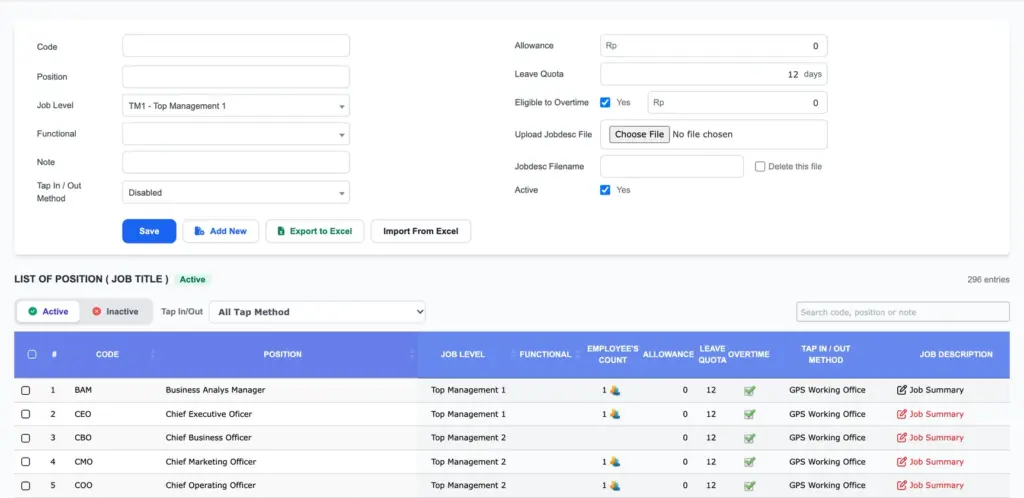
- Positions, job levels and salary grades
- Offices with their own time zone
- Bulk transfers between departments
Positions list: job level, leave quota, overtime eligibility, tap in/out method and job description per position.
Employee records
- Personal and work information
- Family, education, training and career history
- Employment status: permanent, contract, probation, daily worker, freelancer, part-time
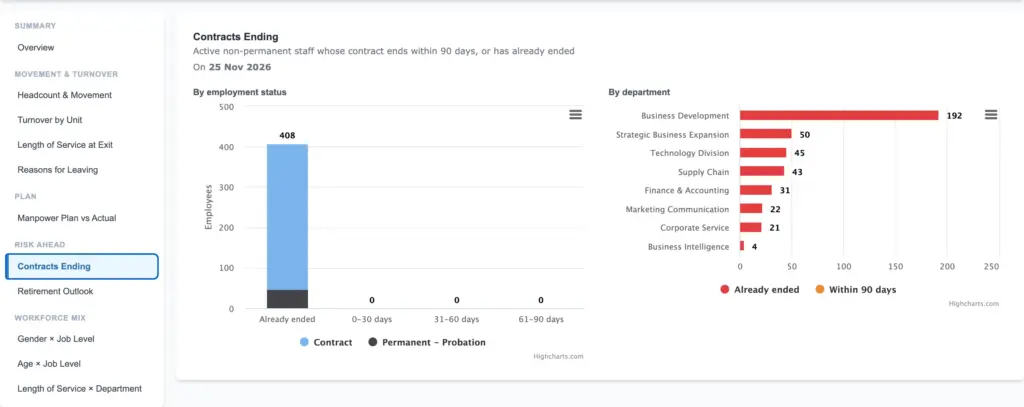
- Contract and probation alerts
- Documents with validity dates and reminders
- Self-service updates with emergency contacts
Executive dashboard (demo data): contracts ending by employment status and by department.
Employee changes
- Promotion, demotion and transfer
- On-site project assignment (detasering)
- Awards and warning letters
- Resignation and termination with severance pay calculation
- Job description per position
Search and dashboards
- Search by department, office, status, position and more
- Search builder for complex filters, such as contract staff who joined in a date range
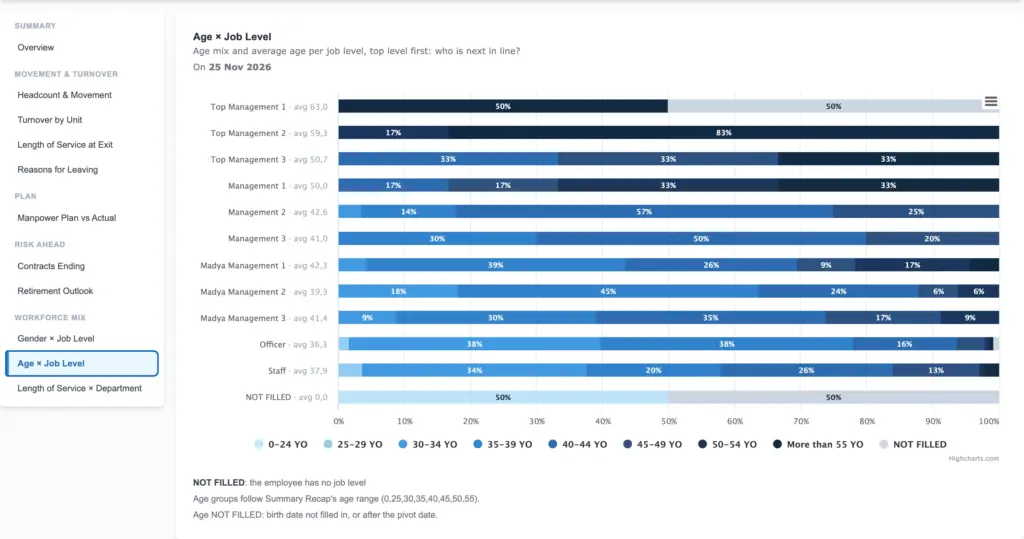
- Executive dashboard by status, gender, office, department, job level, age and length of service
- BPJS statistics
- Export to Excel
Executive dashboard (demo data): age mix and average age per job level, top level first.
Employee reports
- Headcount summary recap
- Contract history
- Manpower report
- Online CV monitoring
Frequently asked questions
Can one PeopleBond installation hold several companies?
Yes. The organisation structure can include more than one company, each with its own departments and offices.
Can employees update their own data?
Yes. Employees edit the fields HR allows, such as address, phone and emergency contacts.
Does PeopleBond warn us before contracts end?
Yes. HR gets alerts for contracts and probation periods that are ending, and employee documents can carry a validity date and reminder.
Can we import our existing employee data?
Yes. HR can import employee data from Excel instead of typing every record.
Related modules
See your organisation in PeopleBond
Book a demo and we will show the employee database, org chart and dashboards with a structure like yours.