

Features / Timesheets
Project timesheet and man-hour software
PeopleBond HCMS records hours per project and activity from the web or PeopleBond Connect, sends them for approval and reports man-hours by project and business unit, so project costs come from recorded work.
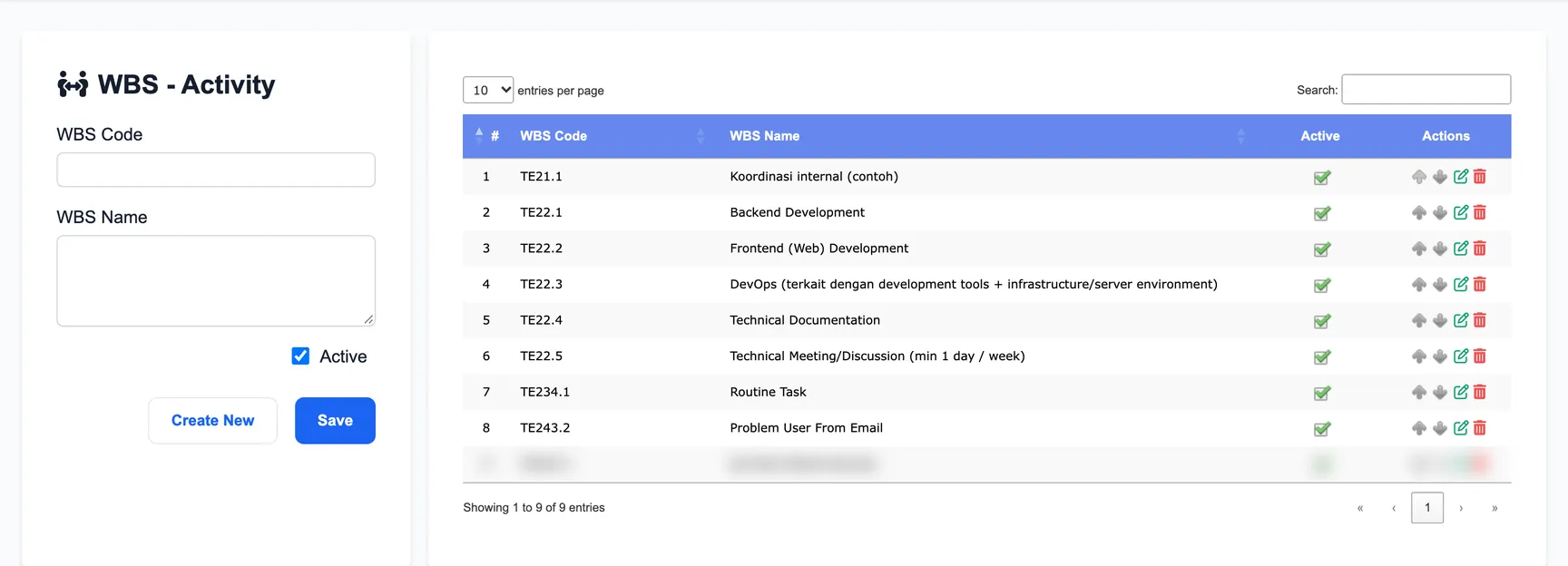
How timesheets work
- Set up projects.Add projects and proposals, project job titles (RBS) and activities (WBS), and assign employees to each project.
- Log hours.Employees enter daily timesheets with project, activity, hours, supervisor and attachments. HR can enter data for many employees at once.
- Approve.Supervisors approve timesheets. Overtime linked to a project goes to the project manager.
- Report.See hours per month, per project and per business unit.
What you can set up
Projects
- Projects and proposals
- Employee assignment per project
- Project documents and document assignment
- RBS: project job titles
- WBS: activities
Timesheet entry
- Daily entry on the web or in PeopleBond Connect
- Project, activity, business hours, supervisor and attachments
- Multiple data entry for HR
- Approval by supervisors
Reports
- Monthly timesheet report
- Project summary
- Man-hours per business unit
- Unregistered timesheet report
- Print and Excel download
Frequently asked questions
Can employees fill in timesheets on their phone?
Yes. PeopleBond Connect has timesheet entry with project, activity, hours, supervisor and document attachments.
What are WBS and RBS in PeopleBond?
WBS is the list of project activities and RBS is the list of project job titles. Reports show hours by both.
How are project costs tracked?
Project cost allocation and control reports use the hours employees log per project and activity.
Related modules
See project hours from projects like yours
Book a demo and we will set up projects, WBS activities and man-hour reports.